Register for a Session
Before completing this step you should have Created an Account and Added a Participant.
🔍How do I register for a session?
1. Visit the Program Catalog via the link provided by your organization.
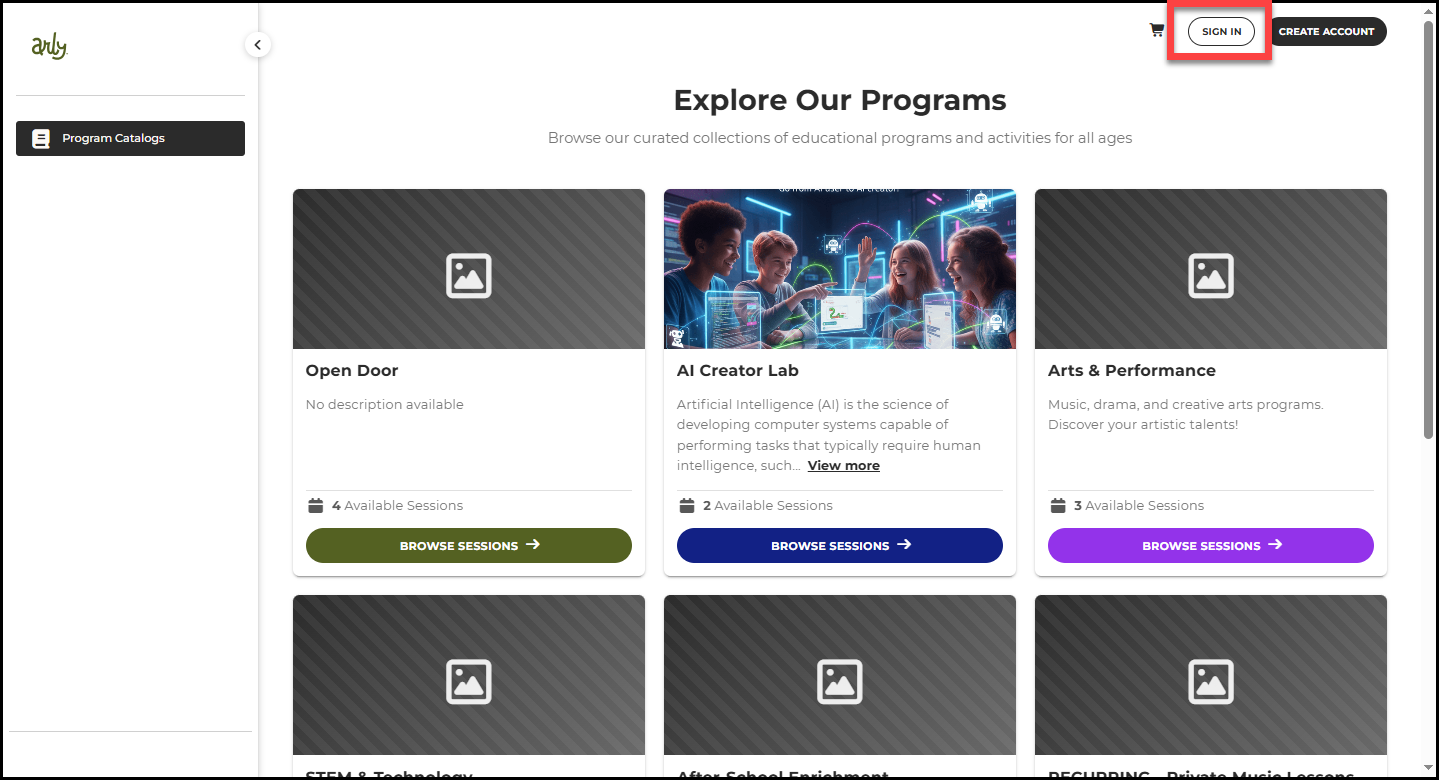
2. Select Sign in and enter your Arly credentials.
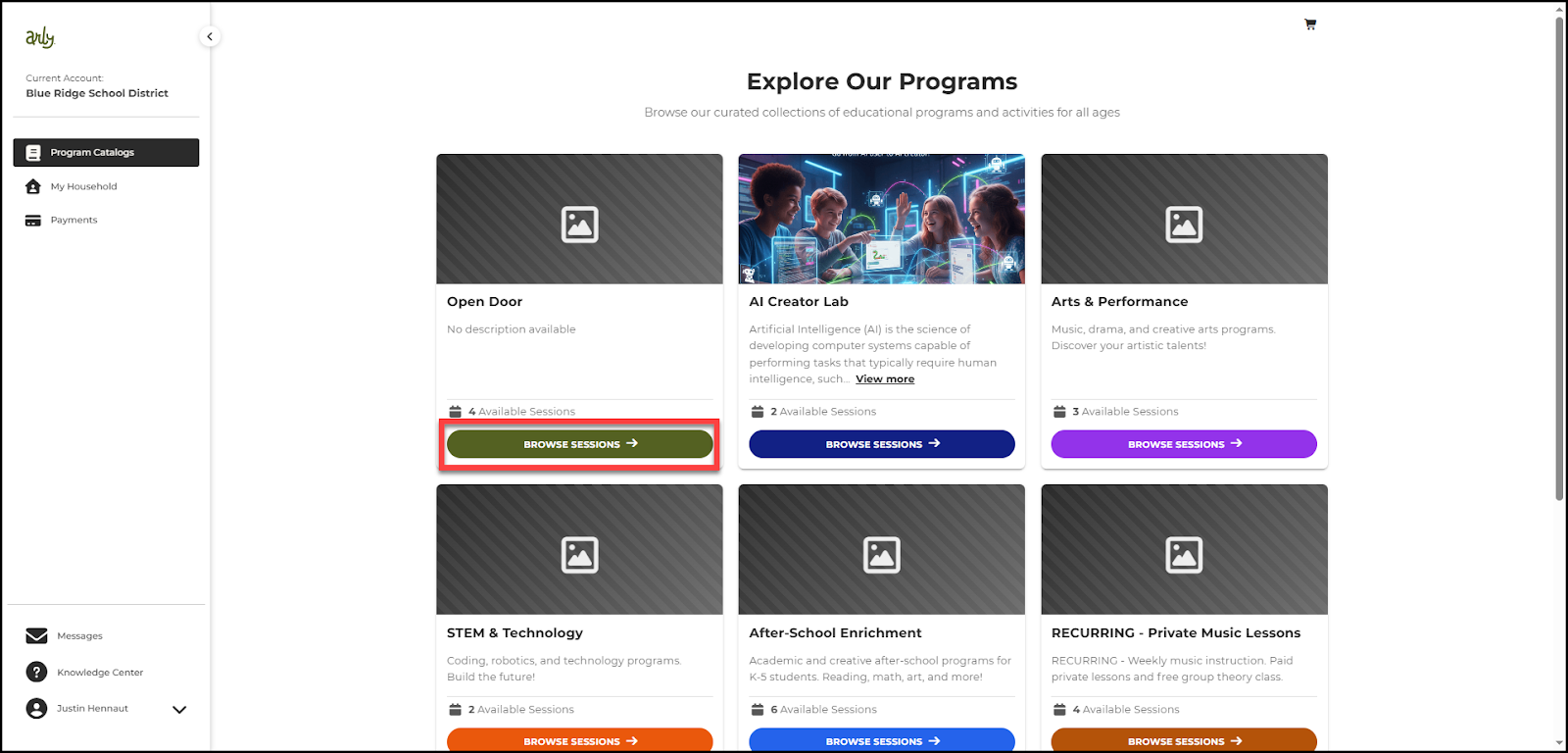
3. Select Browse Sessions on the catalog you wish to browse.
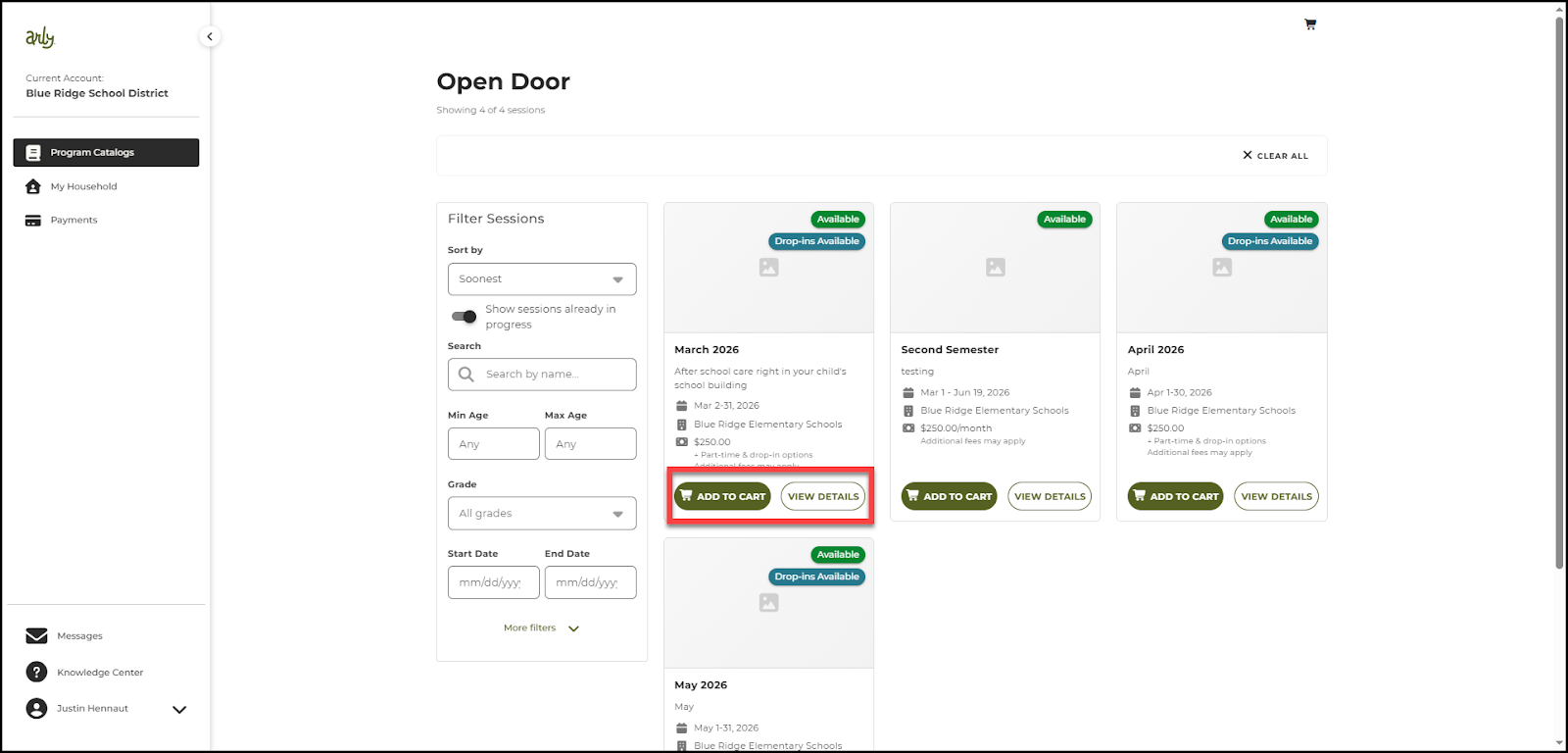
4. View Details on sessions you are interested in. Select Add to Cart for any sessions you wish to register for. You may add multiple sessions at a time.
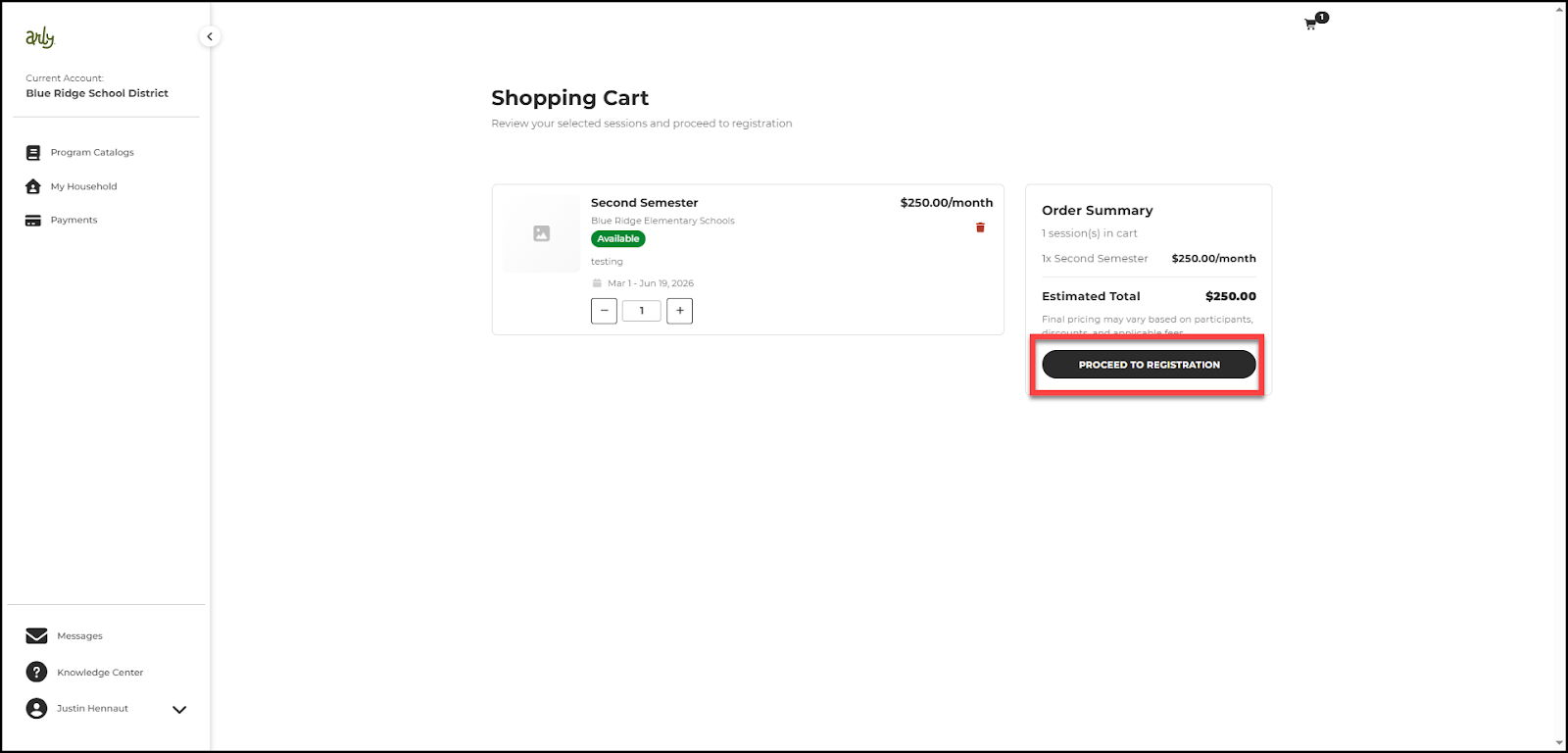
5. Review your shopping cart and then select Proceed to Registration.
Note: To add multiple participants to this registration, select the plus sign.
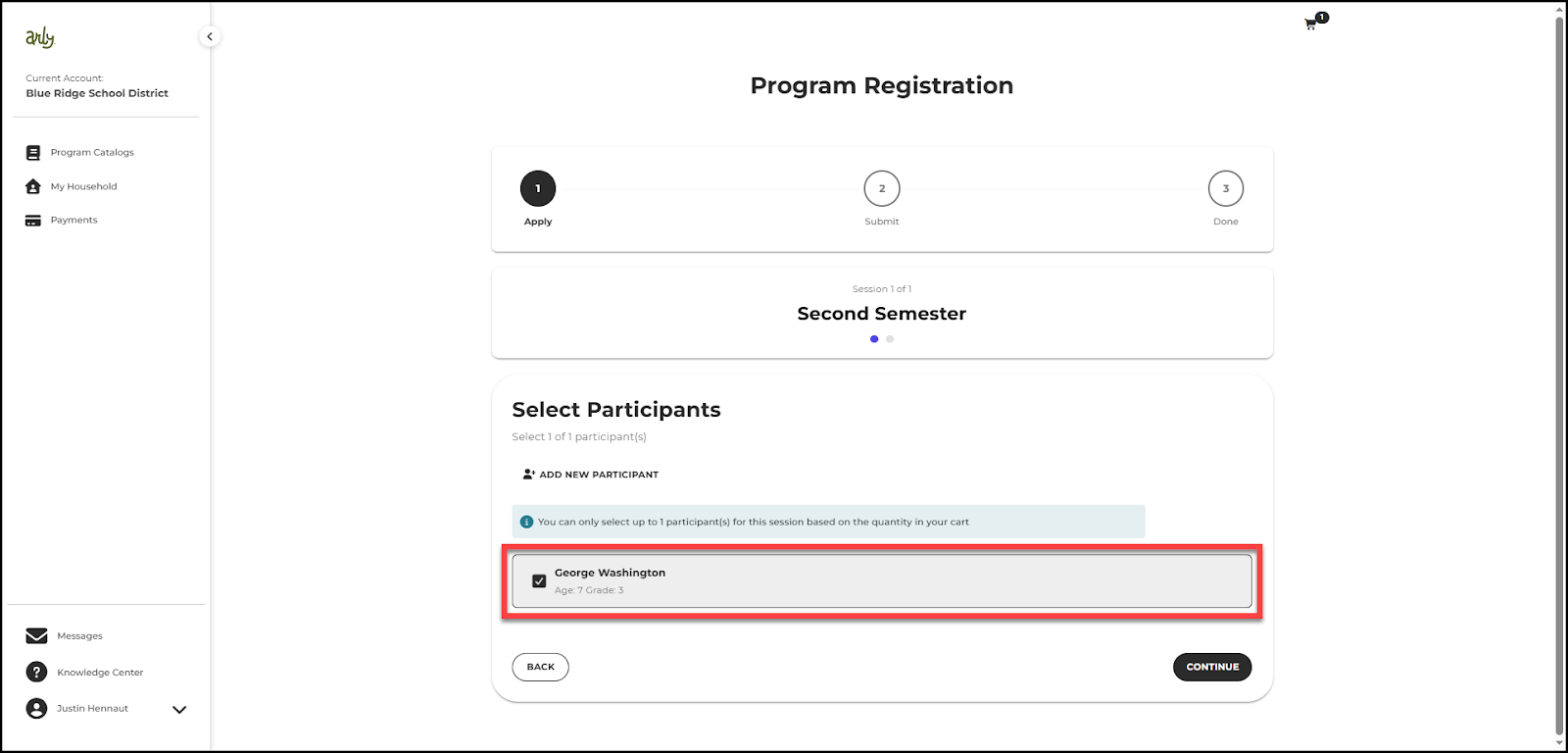
6. Select the participant(s) you are registering.
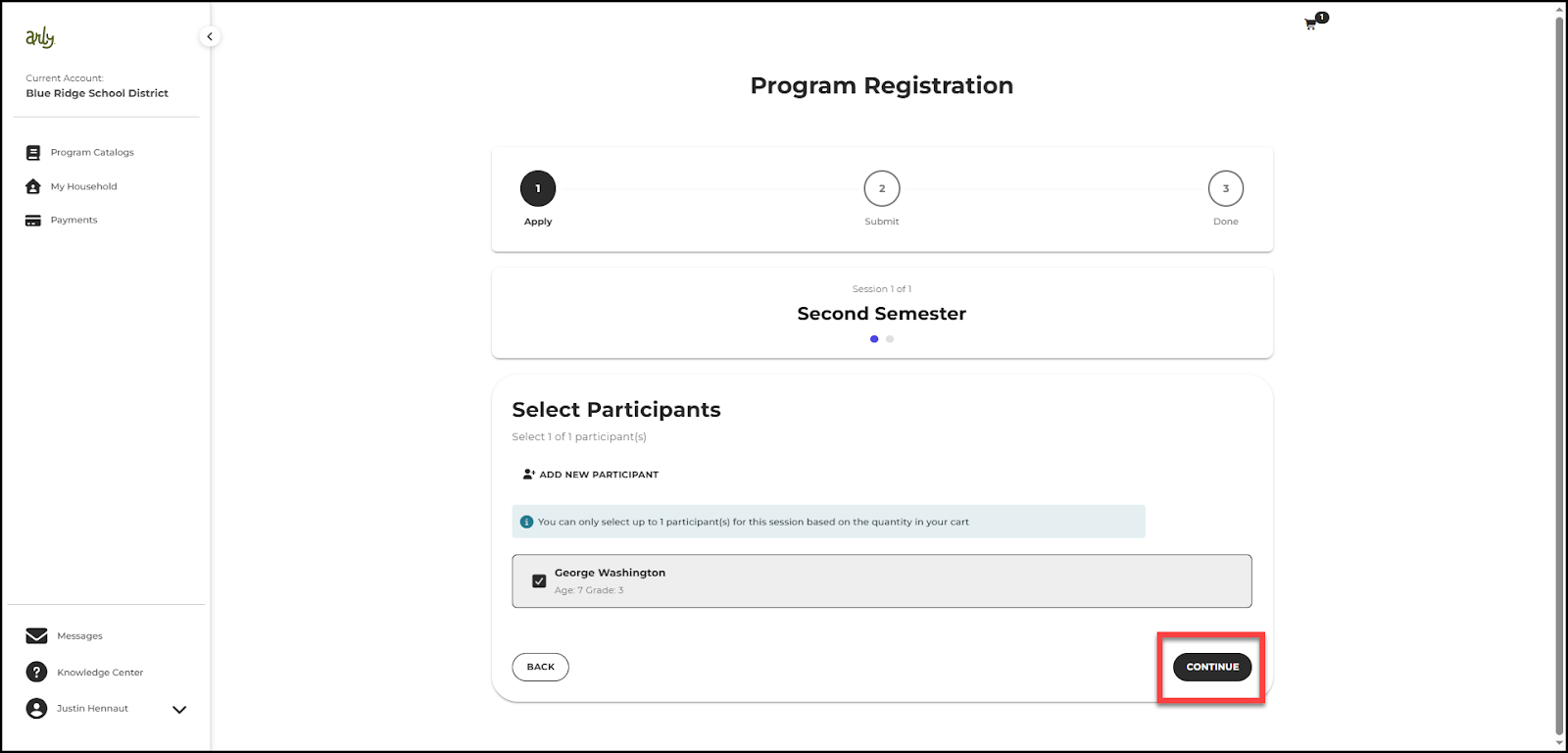
7. Select Continue.
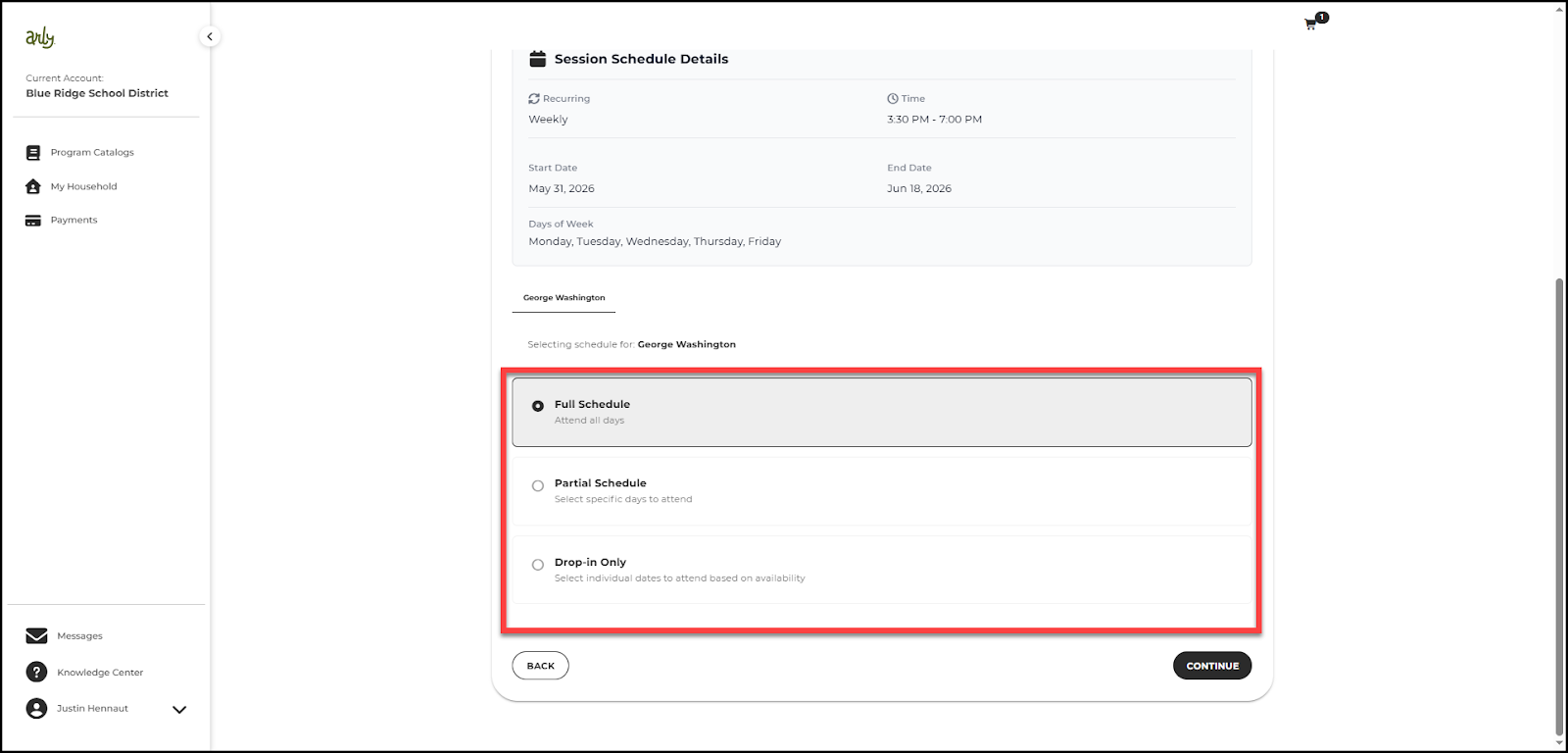
8. Select a schedule from the available options. Note: not every option is available on every session.
Full Schedule- enrolls a participant for all days or dates offered in a session.
Partial Schedule- allows families to enroll participants for only selected days or dates within a session.
Drop In Only- allows participants to attend individual dates without enrolling in a recurring or full session schedule.
9. If you choose a partial schedule or drop in only, select the days you would like to register for.
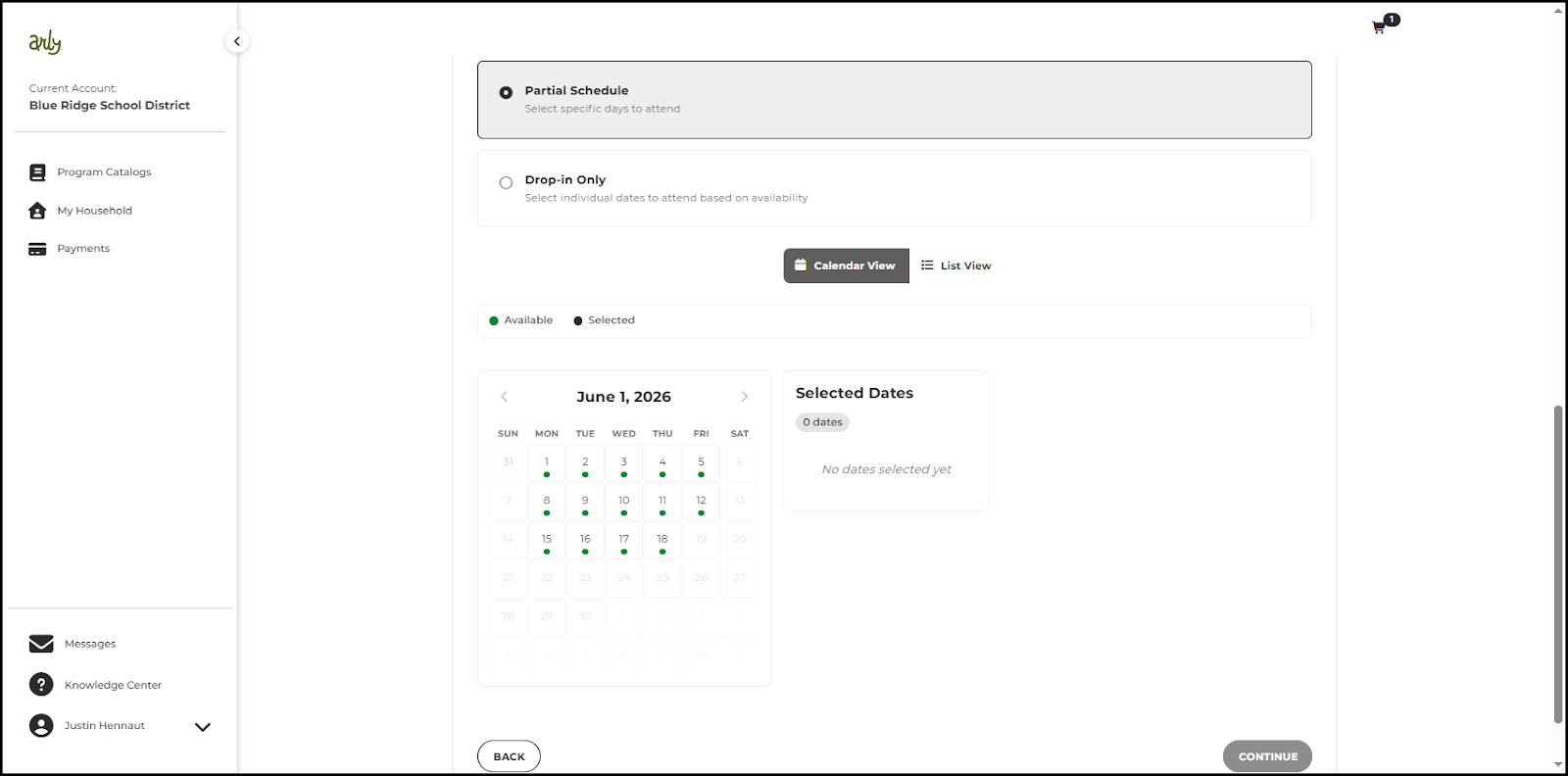
10. Select Continue.
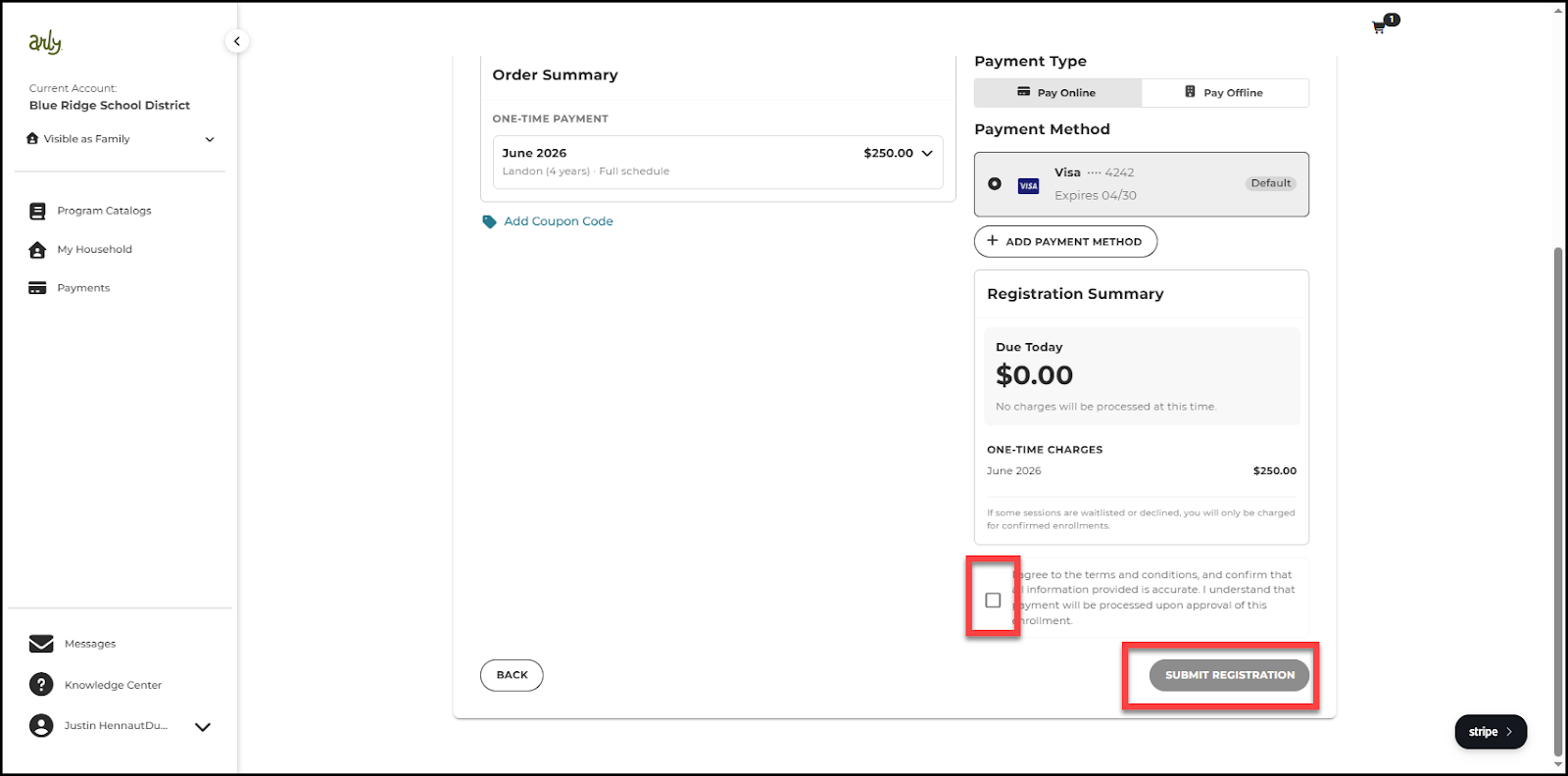
11. Choose a payment type: pay online or pay offline. Note: both options may not be available depending on the organization.
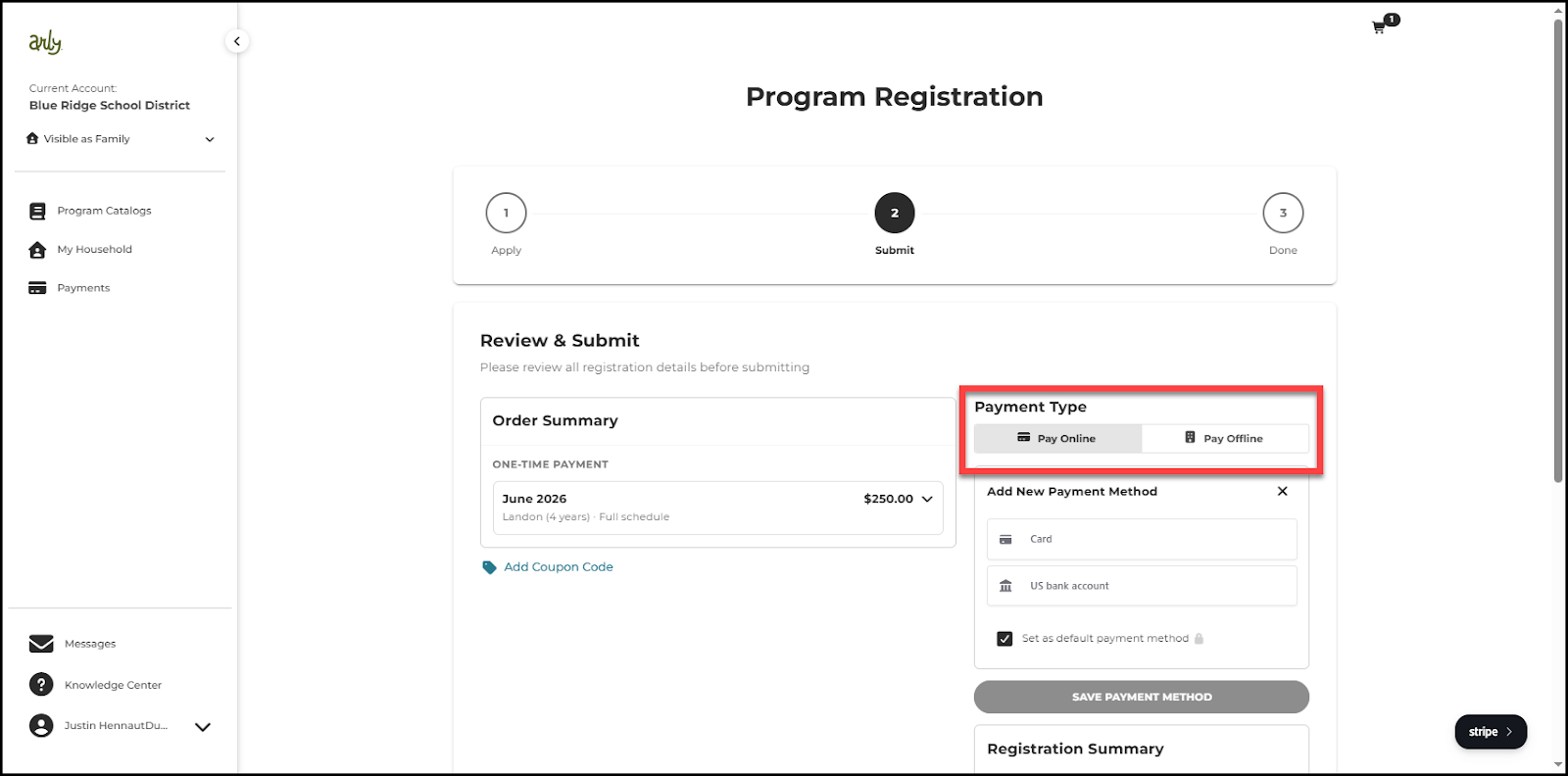
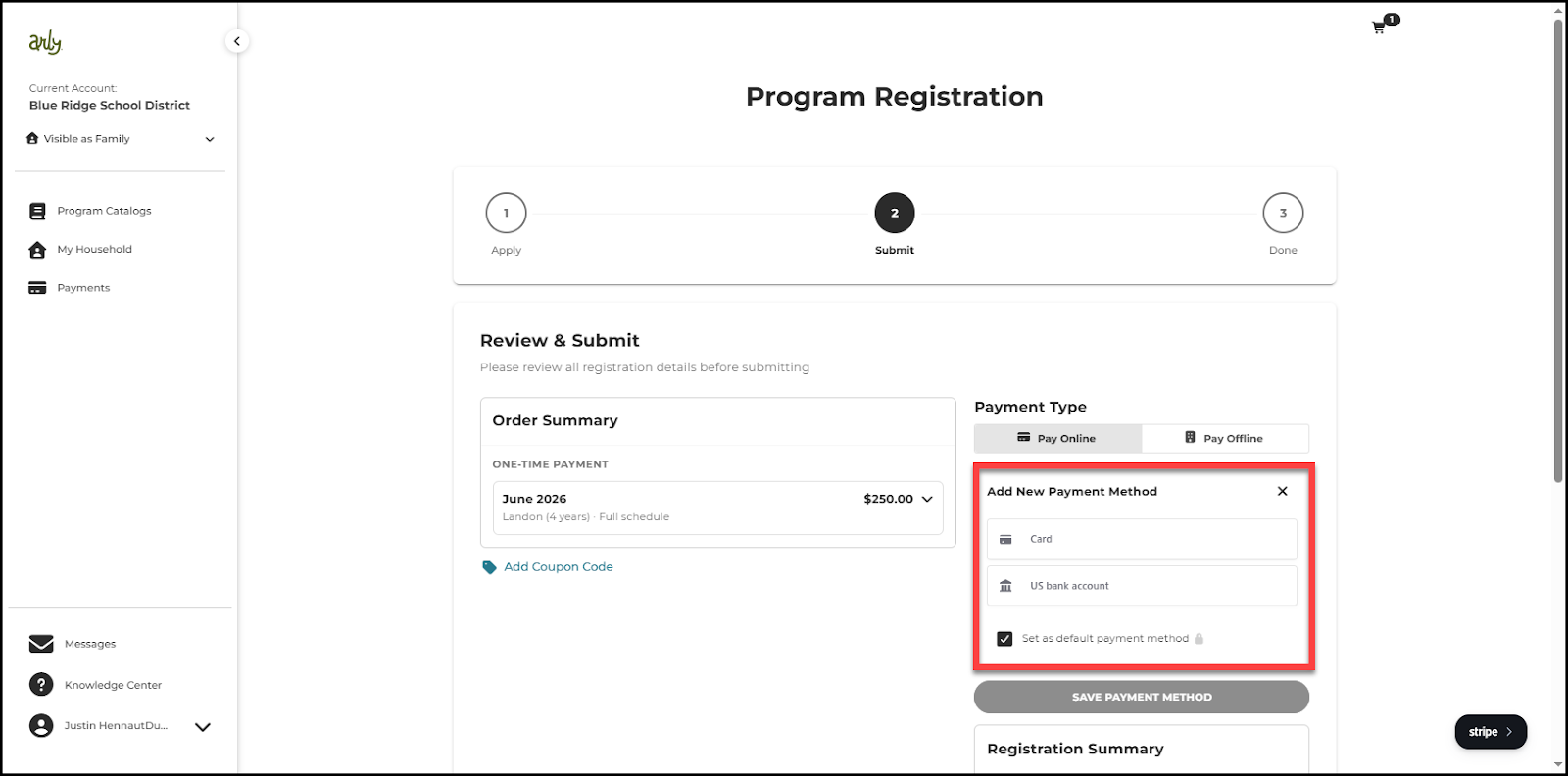
12. If paying online, Add A New Payment Method.
13. Enter payment details (card number or routing and account number)
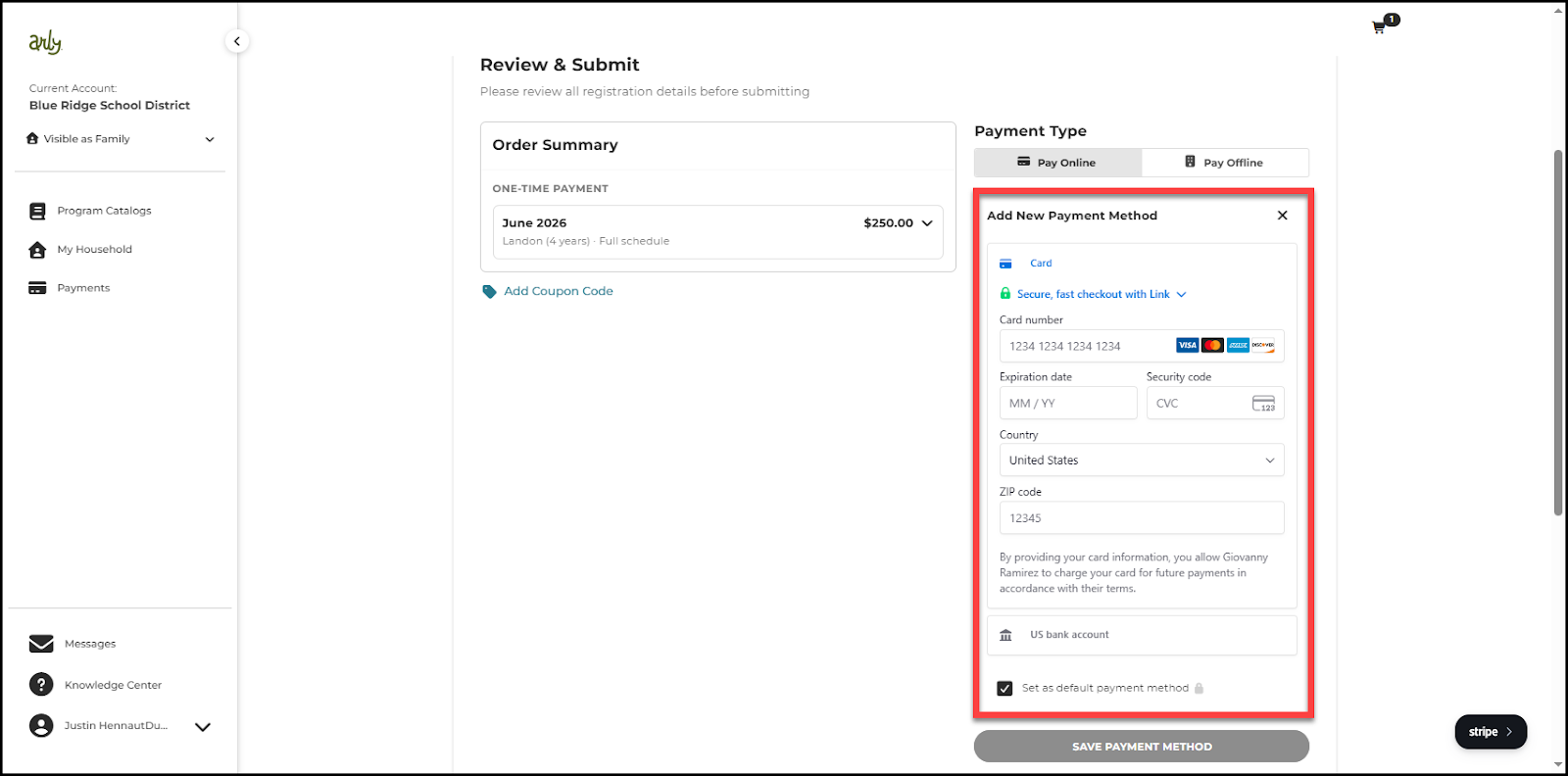
14. Select Save Payment Method.
15. Agree to the Terms and Conditions. Then select Submit Registration.